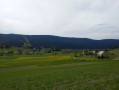
Route de la Frange Verte

A lovely little ride, taking about 2 hours around the Frange Verte in Echirolles.

Details

n°11116
Creation:
Last update:
Last review:
  • Mountain biking
    Activity: Mountain biking
  • ↔
    Distance: 6.33 mi
  • ◔
    Duration according to the author: 2 hrs 
  • ▲
    Difficulty: Moderate

  • ⚐
    Back to start: Yes
  • ↗
    Ascent: + 856 ft
  • ↘
    Descent: - 840 ft

  • ▲
    Highest point: 1,473 ft
  • ▼
    Lowest point: 745 ft
  • ⚐ Country: France
  • ⚐
    Areas: Alps, Dauphiné
  • ⚐ City: Bresson (38320)
  • ⚑
    Start/End: N 45.143363° / E 5.738834°
  • ❏
    IGN map(s): Ref. 3335OT, 3335OTR

  • ◶
    Type of surface: Not specified
  • ⇧
    Bike carrying: Not specified
  • ▲
    Difficulty: Not specified
  • Hour-by-hour weather

Description of the route

(S/E) Park in the Bricoman car park to start the ride (Avenue de la République in Bresson).
Turn right onto Rue de la Maritelle and, 300 metres further on, turn left onto Rue de la République. Ride to Bresson Castle.

(1) Turn right. The climb is on a tarmac road; continue until you reach the junction with Rue du Bois. Turn left here and carry on along Rue de Montavie, an area with very little traffic. At the end of this climb, you’ll arrive at the Bresson golf course.

(2) Turn right onto the forest track. Follow the series of ascents and descents until you reach the Hertzian tower.

(3) Turn left; the rest of the route is all downhill.
Start with a gentle descent along the forest track. There are various alternative routes running parallel to this for a more technical descent. Simply follow the tracks to the left of the path. Once you reach the valley, the descent is full throttle, and the brakes start to heat up. Take a short break to let them cool down, then tackle a slightly technical descent to reach the cemetery.

(4) Ride alongside it, with Echirolles visible below. Finish with a final descent to reach the park. Take the tarmac road along Avenue de la République and return to the car park (S/E).

Waypoints

  1. S/E : mi 0 - alt. 745 ft - Bricoman car park
  2. 1 : mi 0.63 - alt. 869 ft - At the château, turn right
  3. 2 : mi 1.89 - alt. 1,211 ft - Grenoble International Golf Club
  4. 3 : mi 3.67 - alt. 1,473 ft - Turn left at the Hertzienne tower
  5. 4 : mi 5.02 - alt. 915 ft - Cemetery
  6. S/E : mi 6.33 - alt. 745 ft - Bricoman car park

Notes

Ideal for a ride after work. A good climb, all types of descent – technical, fast-rolling – everything you need to have a great time.
A full-suspension mountain bike is recommended.

Reviews and comments

5 / 5
Based on 1 review

Reliability of the description
5 / 5
Ease of following the route
5 / 5
Route interest
5 / 5
User 18464025

Overall rating : 5 / 5

Date of your route : May 19, 2025
Reliability of the description : ★★★★★ Very good
Ease of following the route : ★★★★★ Very good
Route interest : ★★★★★ Very good
Very busy route : Yes

Thank you very much!

Machine-translated

gazok54
gazok54 ★

Good evening, pierregianese
This isn’t the right place to discuss this matter; I’ll send you a private message.

Machine-translated

pierregianese
pierregianese
• Edited:

Thanks for your reply, but I still haven’t found a solution
I’ve successfully imported my GPS track, but from there I can’t see any way to create waypoints:
Under ‘Menu’, amongst the 11 options including ‘Tracking Tool’, I only have ‘Centre, Edit, Back, Reverse, Split into segments, Start again’.
I’ve tried via ‘Edit’: the map appears with a thicker route line, but there’s no information when I right-click or left-click. The same happens when I click on ‘Start’. When I left-click, nothing happens, and when I right-click, a large menu of the usual options appears, but there’s nothing about waypoints
If I save the track to my page: same result. No option to create waypoints via ‘Actions’.
The GPS track I’ve imported is the one recorded on my GPS during the hike

Machine-translated

gazok54
gazok54 ★

Hello, and thank you, pierregianese, for using Visorando for your group outings.
As for the WPTs, you can easily add them after importing your route onto the site. You can add one for every kilometre of the walk you’ve completed.
If you click on a WPT, some details should appear, such as the distance from the start point and the altitude. Try left-clicking – that might work better.
Enjoy your hike.

Machine-translated

pierregianese
pierregianese

As a volunteer GV guide (ABR), I used the start of this route – originally designed for mountain bikes – for a walking trek linking Bresson to Haute Jarrie and back to Bresson.
It gave me the idea to do this walk with my light hiking group and helped me to decide on the start and finish points;
I plan to go on this walk soon and will try to submit the route to Visorando.
Having already tried this with other routes, I’ve run into a bit of a snag regarding how to define the waypoints in the description.
Do they need to be entered on the GPS track before importing?
Otherwise, right-clicking on the starting point, for example, doesn’t bring up the information about the point as explained in the forum.

Machine-translated

For more walks, use our search engine .

The GPS track and description are the property of this route's author. Please do not copy them without permission.